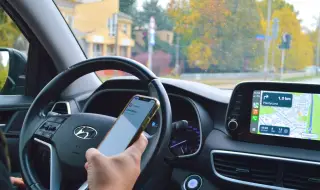
Connecting a smartphone to your car's multimedia system has long been no longer just a luxury for hands-free calling, but a technological necessity for navigation and real-time streaming. Integration is achieved through three main protocols, each with its own specifics in terms of bandwidth and functionality.
The most common method remains Bluetooth pairing
In this, the phone and the infotainment system communicate via radio waves in the 2.4 GHz range. The process requires activating the “discovery“ mode on both devices and confirming a generated PIN code. This standard is ideal for audio streaming via the A2DP (Advanced Audio Distribution Profile) profile, but has limitations when transferring heavy graphic data.
Apple CarPlay and Android Auto are used for full mirroring of the interface
In older systems, the connection is physical via a USB-A or USB-C cable. The use of a certified data cable is critical here, as cheap analogues often only support charging, but not data transfer. Once connected, the smartphone takes over the computing power, and the car screen serves only for visualization and control.
The wireless variants of CarPlay and Android Auto rely on a combined architecture - initially a Bluetooth "handshake" for identification, followed by a Wi-Fi connection (usually at 5 GHz) for the data transfer itself. This provides the necessary speed to work with high-resolution maps without lag. It is important to know that wireless projection consumes a significant amount of energy, which is why it is highly recommended to use an inductive (Qi) charging pad at the same time.
In older cars without built-in displays, the alternative is the AUX input (3.5 mm jack) or an FM transmitter.
The AUX connection offers pure analog audio without compression losses, while FM transmitters modulate the signal from the phone into a radio frequency that is picked up by the car's antenna. This is the lowest technological step, at which control from the multifunction steering wheel is lost, but the basic audio stream is preserved.